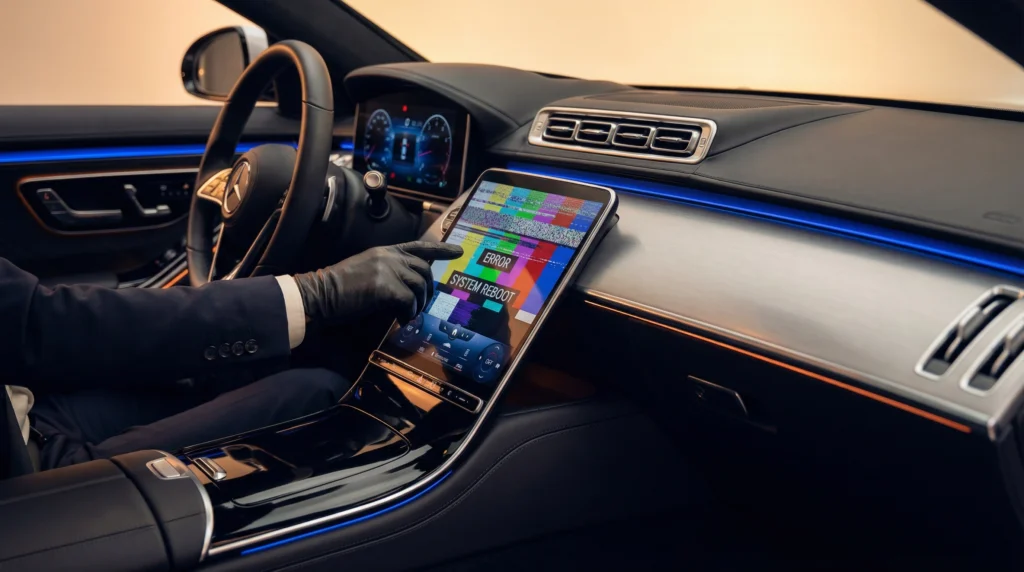
Modern vehicles are essentially computers on wheels, offering incredible convenience and entertainment options. However, this technological advancement comes with a significant downside. According to recent industry data, car infotainment system problems have become the number one headache for drivers in 2026. Whether you are dealing with a frozen touchscreen, a blank display, or frustrating connectivity issues, these glitches can turn a pleasant commute into a stressful ordeal.
At Guarantee Automotive, we understand how vital your vehicle’s technology is to your daily life. Our expert technicians have seen a sharp increase in these digital dilemmas. Therefore, we have compiled this comprehensive guide to help you understand why these issues occur and what you can do about them.
The Rise of Digital Dashboard Dilemmas
The automotive landscape has shifted dramatically over the past decade. Today, a vehicle’s dashboard is dominated by large, complex touchscreens that control everything from the radio to the climate control system. While these interfaces look sleek and modern, they are prone to software glitches. In fact, the JD Power 2026 U.S. Vehicle Dependability Study highlights that infotainment systems report the highest number of problems across all vehicle categories.
This trend is not entirely surprising when you consider the sheer volume of code required to run these systems. Automakers are constantly pushing the boundaries of what these screens can do. Consequently, the complexity of the software increases, leading to a higher likelihood of bugs and crashes. Furthermore, the integration of third-party applications adds another layer of potential instability.
Common Car Infotainment System Problems
If you are experiencing issues with your vehicle’s digital interface, you are certainly not alone. Drivers across the country are reporting a similar set of frustrating symptoms. Understanding these common problems is the first step toward finding a solution.
Frozen or Unresponsive Touchscreens
One of the most frequent complaints we hear at Guarantee Automotive involves touchscreens that simply stop responding. You might be driving down the highway, trying to adjust the volume or change the navigation destination, only to find that the screen is completely frozen. This issue can be particularly dangerous if it distracts you from the road. Often, a frozen screen is the result of an overloaded processor or a software conflict within the system.
Blank or Black Displays
Even more alarming than a frozen screen is a display that goes completely black. When this happens, you lose access to crucial vehicle information, including your backup camera and climate controls. A blank screen can stem from a variety of sources. Sometimes, it is a simple software crash that requires a reboot. In other cases, it might indicate a more serious hardware failure, such as a blown fuse or a damaged display module. If you notice this happening frequently, it might be time to spot early warning signs your car needs repair.
Smartphone Connectivity Failures
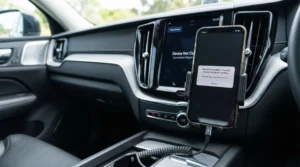
Perhaps the most universally frustrating issue is the failure of smartphone integration. For the third consecutive year, problems with Apple CarPlay and Android Auto connectivity top the list of specific infotainment complaints. Drivers rely heavily on these systems for navigation, communication, and entertainment. When the connection drops repeatedly or fails to initiate, it disrupts the entire driving experience. These connectivity failures are often caused by outdated phone software, damaged USB cables, or compatibility issues between the phone and the vehicle’s system.
The Impact of Over-The-Air Software Updates
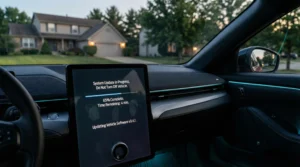
To combat these ongoing issues, automakers have increasingly turned to over-the-air (OTA) software updates. Similar to how your smartphone receives updates, modern vehicles can download and install new software via a cellular or Wi-Fi connection. While this sounds like a convenient solution, the reality is somewhat mixed.
Recent data indicates that while many owners receive these updates, a significant portion do not perceive any noticeable improvement in their vehicle’s performance. In some instances, OTA updates have even introduced new bugs or caused existing systems to malfunction. This highlights the delicate balance automakers must strike between innovating and maintaining system stability. If an update seems to have caused more harm than good, professional system diagnosis and repair might be necessary to roll back the software or apply a patch.
DIY Fixes for Infotainment Glitches
Before you schedule a service appointment, there are several troubleshooting steps you can try at home. Many common car infotainment system problems can be resolved with a few simple actions.
Perform a Hard Reset
Just like a personal computer, your car’s infotainment system sometimes needs a fresh start. Performing a hard reset can clear temporary memory glitches and restore functionality. The method for resetting the system varies widely depending on the make and model of your vehicle. For example, some cars require you to hold down the power button for ten seconds, while others might involve a combination of buttons. Consumer Reports offers a helpful guide detailing the reset procedures for various car brands.
Check Your Cables and Connections
If your primary issue involves smartphone connectivity, the culprit might be the physical connection. Always use a high-quality, manufacturer-approved USB cable. Cheap, aftermarket cables often lack the data transfer capabilities required for systems like Apple CarPlay and Android Auto. Additionally, inspect the USB ports in your vehicle for dirt or debris, which can interfere with the connection.
Update Your Smartphone
Sometimes, the problem lies not with the car, but with the phone. Ensure that your smartphone’s operating system is fully up to date. Furthermore, check that the specific apps you are trying to use, such as navigation or music streaming services, are also running the latest versions. An outdated app can easily cause the entire infotainment system to crash or freeze.
When to Seek Professional Auto Repair
While DIY fixes can resolve many minor glitches, some car infotainment system problems require professional intervention. If you have tried resetting the system and updating your devices without success, it is time to consult the experts.
Persistent Hardware Failures
If your screen remains blank or unresponsive despite multiple reset attempts, you may be dealing with a hardware failure. This could involve a faulty display unit, a damaged wiring harness, or a failing control module. Diagnosing these issues requires specialized equipment and expertise. At Guarantee Automotive, our technicians can pinpoint the exact cause of the hardware failure and recommend the appropriate repair.
Underlying Electrical Issues
In some cases, infotainment problems are a symptom of a broader electrical issue within the vehicle. A weak battery or a failing alternator can cause voltage fluctuations that disrupt sensitive electronic components. If you are experiencing other electrical anomalies, such as dimming headlights or slow engine cranking, it is crucial to have your vehicle’s electrical system inspected. You might find that it is time for a new battery.
Complex Software Diagnostics
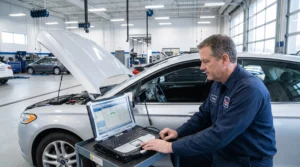
When OTA updates fail or software conflicts become deeply embedded, professional diagnostic tools are necessary. Dealerships and advanced auto repair shops have access to proprietary software that can interface directly with your vehicle’s computer. This allows technicians to read error codes, apply specialized patches, and perform deep system resets that are not accessible to the average owner. Knowing what to expect during your first visit to an auto repair shop can help alleviate any anxiety about the diagnostic process.
Maintaining Your Vehicle’s Digital Health
Preventing car infotainment system problems is often easier than fixing them. By taking a proactive approach to your vehicle’s digital health, you can minimize the risk of frustrating glitches.
First, always keep your vehicle’s software up to date. If your car prompts you to install an update, do so promptly, preferably when connected to a stable Wi-Fi network. Second, be mindful of the devices you connect to your car. Avoid using damaged cables or plugging in devices that may contain malware. Finally, incorporate digital system checks into your regular maintenance schedule. Just as you check your oil and tire pressure, pay attention to how your infotainment system is performing.
The technology in modern vehicles is designed to enhance your driving experience, not hinder it. By understanding the common causes of infotainment issues and knowing when to seek professional help, you can ensure that your digital dashboard remains a helpful companion on the road. If you are struggling with persistent car infotainment system problems, do not hesitate to contact the experts at Guarantee Automotive. We are here to provide reliable service and guaranteed results for all your automotive needs.